Posts

Showing posts with the label EBS

Automatic Generation of Charge Account in Requisition Import

Requisition Import process is used to import requisitions from other Oracle or third-party non-Oracle systems. Before R12.2.2,  while importing requisitions from Oracle or third-party non-Oracle systems, if users do not provide charge account segment or CCID for other accounts in the Requisitions Interface table (PO_REQUISITIONS_INTERFACE), then these requisitions are not imported. The interface expects the accounts (charge, budget, variance, and accrual) as mandatory fields and does not process requisitions unless the charge account is populated. With this new feature, when requisitions are imported using the Requisition Import Process, the Charge, Budget, Variance and Accrual accounts for the requisitions are generated automatically by calling the Requisition Account Generator Workflow. Automatic generation of the charge account CCID happens only if the charge account and corresponding segments are empty. You can check following document to get more information. ...

Organization Structure in R12

Image
Here is a useful organization structure and explanation for Oracle E-Business Suite R12.

How to change Standard Oracle Logo?

Image
You can customize Oracle standard logo at E-Business Suite. It can be change in site level or entire application level. 1) Modifying logo at application level Open $OA_MEDIA directory. ( $COMMON_TOP/java/oracle/apps/media ) Find  FNDSSCORP.gif file and rename it as  FNDSSCORP.gif.bck Add new image file this directory. Logout and login into application again to see new logo. 2) Modifying logo at site level Open $OA_MEDIA directory. ( $COMMON_TOP/java/oracle/apps/media ) Upload your logo this file with a unique name (newlogo.gif) Login Oracle application and open System Administrator responsibilty. Open profiles>system forms. Query  “Corporate Branding Image for Oracle Applications” profile at site level. Write your new file name to site column.  (newlogo.gif) Logout and login into application again to see new logo. Note:  Please clean application cache from Functional Administrator responsibility and bounce ...

How to get oracle EBS personalization lists?

Hi, If you need a personalization list for any module or screen in oracle EBS, you can use following scripts. List all the FORMS Personlizations select distinct a.form_name , a.enabled, c.USER_FORM_NAME, d.APPLICATION_NAME from FND_FORM_CUSTOM_RULES a,      FND_FORM b,      FND_FORM_TL c,      fnd_application_tl d where enabled = 'Y' and a.form_name = b.form_name and b.form_id = c.form_id and b.application_id = d.application_id order by application_name List all the OAF Personlizations SELECT PATH.PATH_DOCID PERZ_DOC_ID, jdr_mds_internal.getdocumentname(PATH.PATH_DOCID) PERZ_DOC_PATH FROM JDR_PATHS PATH WHERE PATH.PATH_DOCID IN (SELECT DISTINCT COMP_DOCID FROM JDR_COMPONENTS WHERE COMP_SEQ = 0 AND COMP_ELEMENT = 'customization' AND COMP_ID IS NULL) ORDER BY PERZ_DOC_PATH;

Oracle EBS User & Responsibility İlişkisi

Image
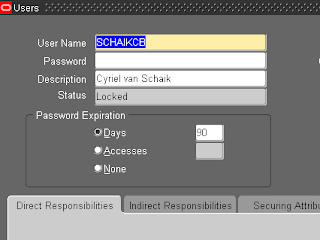
Oracle E-Business Suite içerisinde hangi aktif kullanıcıya hangi sorumlulukların atalı olduğunu görmek isterseniz aşağıdaki sorgu size yardımcı olacaktır. Comment'lenmis satıralardan istediğinizi açarak ister kullanıcı adı, isterseniz sorumluluk adına göre arama yapabilrisiniz. SELECT     fuser.USER_NAME USER_NAME     , per.FULL_NAME FULL_NAME     , per.EMPLOYEE_NUMBER EMPLOYEE_NUMBER     , frt.RESPONSIBILITY_NAME RESPONSIBILITY FROM     FND_USER fuser     , PER_PEOPLE_F per     , FND_USER_RESP_GROUPS furg     , FND_RESPONSIBILITY_TL frt WHERE     fuser.EMPLOYEE_ID = per.PERSON_ID     AND fuser.USER_ID = furg.USER_ID     AND (to_char(fuser.END_DATE) is null         OR fuser.END_DATE > sysdate)     AND frt.RESPONSIBILITY_ID = furg.RESPONSIBILITY_ID   ...